

Imagine a week of work without chasing sheets, voice messages and math on the back of invoices.
Imagine opening a single screen and immediately seeing who is working where, which orders are going well and which are eating margin, which invoices are still to be issued or to be collected.
This is the idea behind GeoTapp: to put the owner back at the center of his business, without turning him into an accountant or a computer technician.
Contenuti
- Before GeoTapp: the ‘normal’ chaos of SMEs
- GeoTapp in two words: Flow and TimeTracker
- A week ‘before and after’ GeoTapp
- Week without GeoTapp
- Week with GeoTapp
- Why is this console different from any management system
- What happens if you start to actually use it
- The first step: seeing GeoTapp in your context
- The Controller’s Console: The Dashboard That Was Missing
- Ten Minutes to Figure Out If It Works for Your Business
- From Operational to Strategic: How the Owner’s Time Changes
Before GeoTapp: the ‘normal’ chaos of SMEs
” class="wp-image-505"
/>
If you have teams around, something like this sounds familiar to you:
- Hours marked “by hand” or in different Excel sheets, filled in at the weekend when no one remembers exactly what they did anymore.
- Messages scattered between WhatsApp, SMS and calls: work photos, addresses, notes “to remember” that are then lost.
- Invoices made late because they need the precise hours, the notes from the field, the materials used… but nobody has it all together.
- Accountant who asks for ‘clean’ files and you who spend hours sorting out account statements, expenses, notes and spreadsheets.
If you recognize yourself in even one of these scenes, it’s not because you’re “misorganizing” the work: it’s because you’re lacking the right tools.
GeoTapp in two words: Flow and TimeTracker
To solve this chaos, “an extra management system” was not enough.
We needed something that spoke both the language of those in the field and the language of those who run the company.
For this reason, GeotApp is divided into two tools that work together:
- GeotApp TimeTracker: the employee app.
They stamp, mark the hours on the right orders, record breaks, take photos, upload receipts, see where they need to go and what there is to do. All with a few taps, from the phone - GeoTapp Flow: the owner’s console.
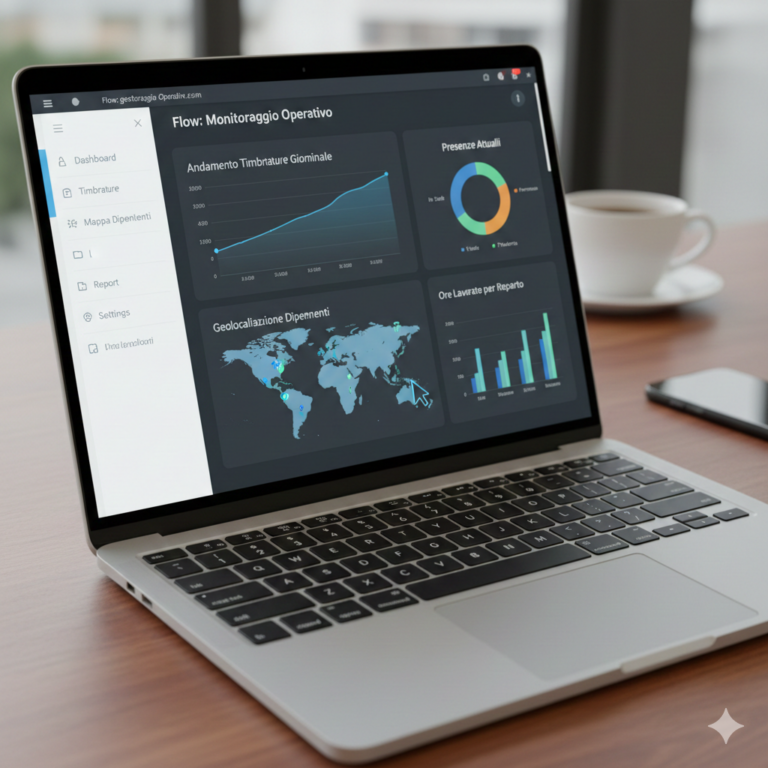
See customers, orders, hours worked, expenses, invoices, first note and report, in one place. You can communicate with the teams, prepare the data for the accountant and understand “how” the company is doing in a few seconds
.
.
So those who work in the field have a simple and fast tool, while you have complete direction, without having to “assemble” the pieces at the end of the month.
A week ‘before and after’ GeoTapp
Try viewing two weeks of your business.
Week without GeoTapp
Monday morning: the kids leave, but a team doesn’t have the exact recap of the work; they call you while you’re already busy.
Wednesday: you get the usual photo of a finished job, but no one notes the hours precisely on the right customer.
Friday: try to count the attendance: between signed sheets, chats and memory, you are always missing pieces.
End of the month: you lock yourself in the office to “fix everything” before sending the invoices and material to the accountant.
Week with GeoTapp
- Every stamp is linked to the right order: you no longer have to ask “but whose hours were these?”.
- The photos and notes from the field automatically end up in the customer/order form: when you open Flow, you already have everything in order.
- The hours are already added up per customer, per team, per period: one click is enough to prepare invoices and reports.
- The first note and the expenses are recorded gradually: when the accountant asks for the data, you don’t have to reconstruct anything.
The result? Less time chasing information, more time deciding where you want to take the company
.
Why is this console different from any management system
“class="wp-image-504"
/>
A ‘normal’ management system asks you to adapt your work to how the program is made.
GeoTapp, on the other hand, was born looking at an SME from the owner’s point of view that has teams, orders and a real life outside the office.
- Flow is designed to stay open all day in a browser tab, as if it were the ‘dashboard’ of your work.
- TimeTracker is designed for those who don’t have time to waste: open, stamp, attach, go to the next job.
- The data is never “double” or to be copied: what the employee enters once, you find it in Flow ready to use.
This eliminates that sense of frustration from “work repeated twice” that you know well: first you write it on paper, then you put it in Excel, then in the management system…
What happens if you start to actually use it
What changes is not only “how you record the hours”, but how you feel about running the company.
- You know what’s going on without having to call everyone.
- You are no longer afraid of billing ‘too low’ compared to the hours actually worked.
- You arrive at the tax deadlines with the data already in order, without endless evenings spent reconstructing everything.
It’s a feeling of greater control and lightness: you realize that your time is worth more, so you don’t burn it on activities that don’t generate revenue.
The first step: seeing GeoTapp in your context
GeotApp is not a ‘magic app’ that solves everything on its own.
It becomes powerful when you support it on your way of working, on your teams, on your orders.
This is why the first step is not to “buy software”, but to see how Flow and TimeTracker behave on your real cases:
- your types of customers,
- the way you divide the teams,
- Like today you collect hours, expenses and documents.
If you were reading at least one day when GeoTapp would save you time, it’s probably the right time to try it out in the field.
In the next article, we will go even more into the concrete, starting from a specific scene: a service company that goes from “chaos at the end of the month” to a simpler and more predictable workflow.
Do you want to see how GeoTapp would work with your teams, your orders and your numbers?
Write to us from geotapp.com and we will organize a practical demo on your real cases, without obligation.
The Controller’s Console: The Dashboard That Was Missing
One of the most common problems in SMEs with external teams is this: the owner knows everything but sees nothing. He knows that the employees are working, he knows that the construction sites are proceeding, he knows that the invoices will be issued — but he has no single place to see the status of everything at a glance. Every piece of information requires a call, a message, a search in a file. The result is reactive rather than proactive management: discover problems when they have already happened
.
The console of the owner of GeoTapp changes this dynamic. As soon as your technicians start stamping and recording the interventions, the system aggregates all the data in a dashboard accessible from any device. See who is on the construction site, what interventions are in progress, which have been completed today, which invoices are open and which have been paid. It’s not a weekly report — it’s the reality of your company in real time, updated with each stamp
.
Ten Minutes to Figure Out If It Works for Your Business
GeoTapp’s promise is simple: in ten minutes you’ll understand if the system is right for you. Not ten minutes of commercial presentation — ten minutes of real use. Create an account, add a test site, enter an employee, see what the stamp looks like in the console. There’s nothing to install on office computers, there’s no lengthy setup, there’s no manual to read before you can do anything.
This simple start-up is not a coincidence — it is the result of years of development in which each function has been designed asking “how does a business owner with twenty things to do use this without wasting time?” The answer to that question is in every design choice: a few keys, immediate actions, essential information in the foreground and details accessible in a click when needed.
From Operational to Strategic: How the Owner’s Time Changes
The most subtle — and often the most significant — change reported by owners who have been using GeoTapp for a few months is this: they have more time to think. Not because they work less, but because many of the activities that previously required active attention manage themselves. The system checks attendance, the system reports anomalies, the system generates reports. The owner no longer has to “chase” the information — he finds it where he expects to find it, when he needs it
.
This freed up time doesn’t evaporate — it moves to higher-value activities. An extra inspection, a better managed negotiation, a decision made with data instead of instinct. In SMEs where every owner’s hour is worth tens of euros in value produced, this shift in attention has a real economic impact that is added to the direct savings on the cost of operational inefficiencies
.
Manage the hours of your mobile staff
GeoTapp eliminates time disputes with verifiable GPS stamping, photographic evidence for each intervention and zero sheets of paper.
Keep reading
Why do SMEs lose money without knowing it: how Geotapp-Flow puts expenses, employees and inventory in order
18 March 2026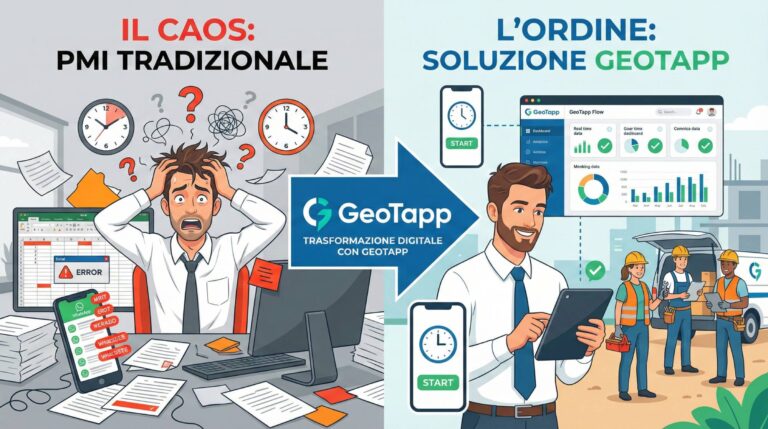
Who is GeoTapp’s ideal customer
18 March 2026
Digital Stamping vs Traditional Tag: SME 2025 Guide
18 March 2026
Where does Geotapp-Flow come from: the owner’s control panel
18 March 2026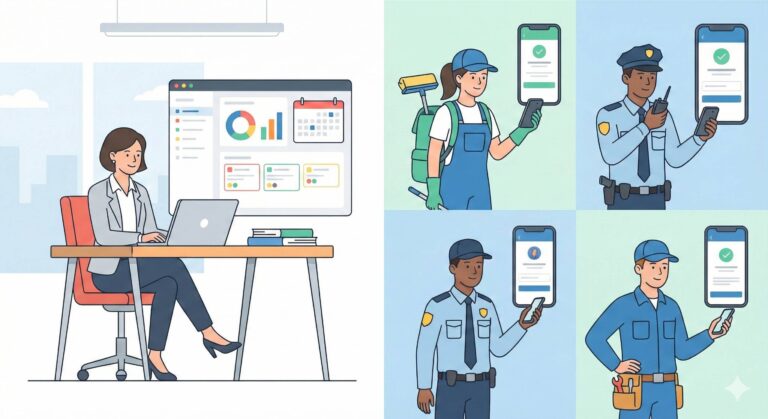
What is GeoTapp in simple words
18 March 2026
Cleaning company: how much would your life change if every intervention were finally under control?
18 March 2026