
Contenuti
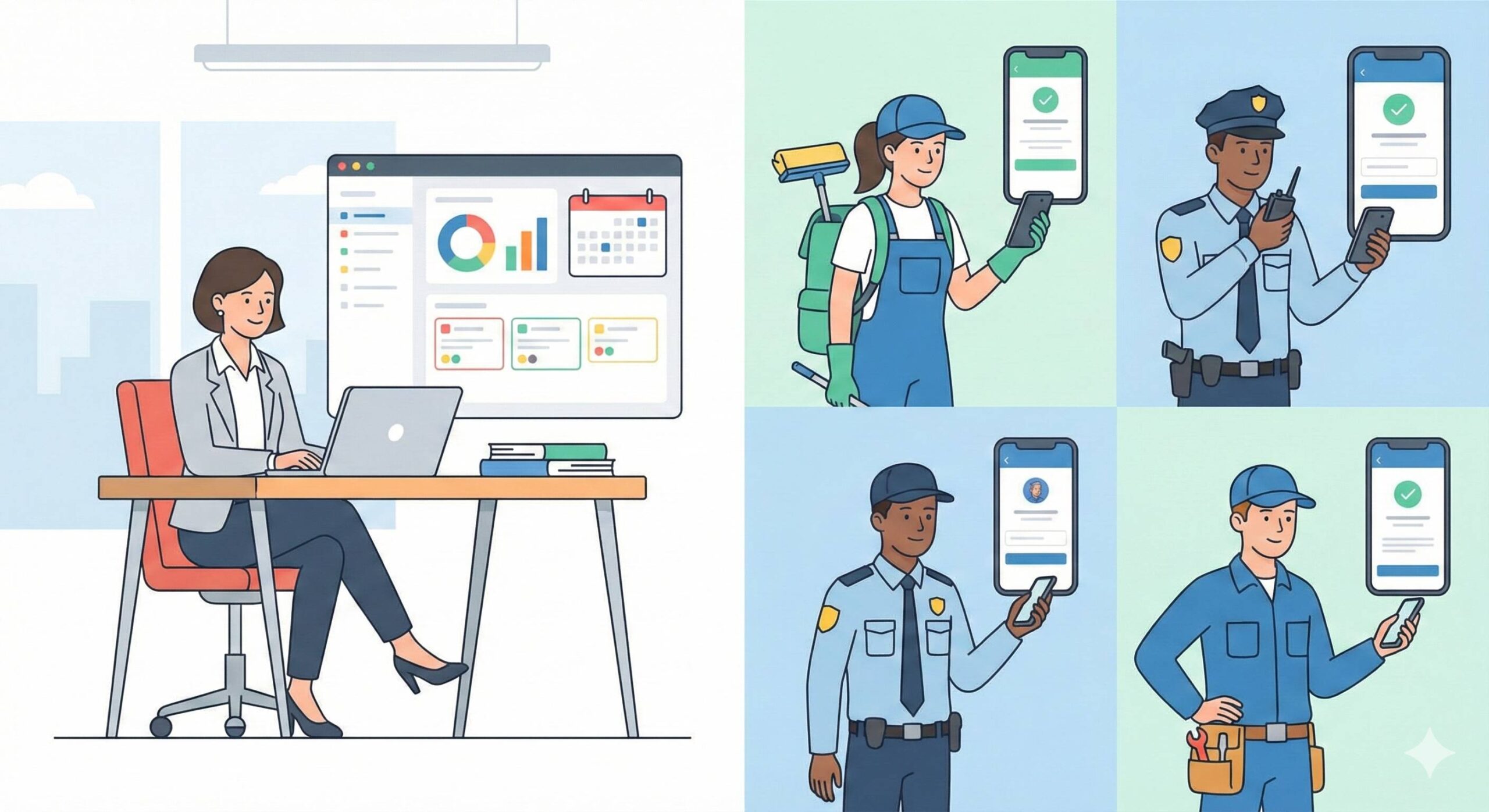
- If you have people who work offsite — cleaning crews, security officers, technicians, maintainers — you already know how easy it is to lose track.
- GeoTapp in a sentence
- Two products, one ecosystem
- GeoTapp Flow: the owner’s console
- GeoTapp Timetracker: the app for those who work in the field
- How Flow and Timetracker work together
- Who is GeoTapp Flow for
- Who is GeoTapp Timetracker for
- For those who are not GeoTapp (ecosystem)
- What can you do now
- Do you want to understand if GeoTapp is really for you?
- The Explanation in One Sentence
- The Problem GeoTapp Solves Better Than Everything Else
If you have people who work offsite — cleaning crews, security officers, technicians, maintainers — you already know how easy it is to lose track.
Poorly marked hours, messages scattered between WhatsApp and email, materials that you don’t know where they were used, customer complaints because “there’s nothing written”: at the end of the month you find yourself chasing information more than managing the company.
GeotApp was created exactly for this reason: to transform the chaos of field work into clear, organized and useful data, without asking you to become an expert in management systems or Excel sheets.
GeoTapp in a sentence
GeoTapp is a platform designed for service companies with external personnel who want to:
- understand who is doing what, where and for which customer
- link hours, costs, materials and interventions to projects and orders
- get a clear picture of the numbers without chasing anyone at the last minute
All this happens within a single ecosystem that connects fieldwork with office work.
Two products, one ecosystem
To truly understand GeotApp, it is necessary to distinguish its two main products, which share the same database and the same Firestore security rules based on CompanyID.
GeoTapp Flow: the owner’s console
GeotApp Flow is the owner’s console: a web app (browser only, no native app) designed for those who manage the company, not for those who print.
With Flow you can:
- manage customers, projects, suppliers and products (CRM)
- issue quotes and invoices with PDFs ready to send or print
- Keep the first note and connect bank movements, even when reading emails via IMAP
- Organize the team, locations, groups, and availability
- centralize internal communications, notes and messages related to jobs
- Keep track of your calendar, events and activities through integration with Google Calendar
- take advantage of automations and an AI assistant (Gemini) for repetitive tasks and business data analysis
- manage internal support tickets, integrations with Cloud Invoices, customer portal, accesses dedicated to the accountant, personalized dashboards and onboarding wizards.
In practice, Flow is the “command center” where the owner sees and governs the company: customers, numbers, projects, personnel and communications.
GeoTapp Timetracker: the app for those who work in the field
GeoTapp Timetracker is its ‘operating arm’: it’s the app that field operators use to:
- Stamp the start and end of work sessions
- Record pauses, movements, notes and photos of what they are doing
- associate hours with a specific customer, project, site, or shift
- leave a clear and defensible trace in the event of disputes (times, places, activities).
All this information ends up in the same Firestore database used by Flow: this means that the owner, from Flow, can see in real time what Timetracker is recording in the field.
How Flow and Timetracker work together
Flow and Timetracker share:
- the same Firebase project (
geotap-v2) - the same multi-tenant Firestore database with CompanyID
- the same security rules (
firestore.rules) that ensure that each company sees only its own data.
The typical flow is this:
- Timetracker records work sessions (
WorkSessions) with user, times, breaks, position, notes, photos - the data ends up in Firestore, in the same Flow database
- Flow shows them in the employee, project, customer, report, and administrative view tabs.
Result: the owner no longer works as a feeling, but on real data collected by his operators, without having to ask for “send me the timesheet” every weekend.
Who is GeoTapp Flow for
GeoTapp Flow is designed for:
- owners of service companies with external personnel (cleaning, security, maintenance, facility, technical services)
- administrative offices that must invoice, record receipts, keep a first note and prepare clean data for the accountant
- who needs an overall view of customers, projects, margins, activities and internal communications, without monolithic and heavy software.
Flow is not the app with which you stamp: it is the owner’s digital desktop, always open in the browser.
Who is GeoTapp Timetracker for
GeoTapp Timetracker is designed for:
- field operators who must mark the start and end of the work
- foremen who must manage shifts, changes and attendance
- who needs to easily demonstrate where and when an operation was performed.
Timetracker should not replace accounting management software, but should become the reliable source of truth about real hours, places, activities and proof of work.
For those who are not GeoTapp (ecosystem)
The GeoTapp ecosystem is not suitable if:
- are you looking for an “all-encompassing” ERP that also manages complex production, complete accounting, advanced warehouse, HR in an integral way
- you are not willing to change your processes even a minimum to better structure information, data and responsibility.
GeoTapp does not want to be “yet another generic management tool”, but rather the practical combination of:
- owner‘s console (Flow)
- field app (Timetracker)
built specifically for those who live on shifts, interventions, orders and services in the area.
What can you do now
If you recognize yourself in this type of company, the next step is not to buy software immediately, but to understand if GeoTapp really fits into your reality.
You can:
- Tell me in a few lines how many operators you have, what sector you work in and what problems you experience every month
- Ask for a short call to see how Flow and Timetracker could adapt to the way you work
From there you can decide, without beating around the bush, if GeoTapp is the right tool to give you back control over people, hours and numbers, or not.
Do you want to understand if GeoTapp is really for you?
Do you
manage people who work out of office and find yourself chasing hours, sheets and scattered information every month? In this case, reading an article is not enough: you need to see how GeoTapp fits into your concrete reality
.
- We can look together at how fieldwork is organized in your company today.
- I’ll show you in practice how Flow and Timetracker can help you put people, hours and numbers in order.
- At the end of the call you are free to decide whether to go a step further or not, without obligation.
.gtapp-cta-wrapper {
text-align: center;
margin: 40px 0;
}
.gtapp-cta-btn {
display: inline-block;
padding: 18px 40px;
font-size: 18px;
font weight: 600;
color: #ffffff;
background: linear-gradient (135°, #1f8ef1, #00c4b3);
border-radius: 999px;
text-decoration: none;
box-shadow: 0 10px 25px rgba (0, 0, 0, 0.15);
transition: transform 0.15s ease, box-shadow 0.15s ease, background 0.15s ease;
}
.gtapp-cta-btn:hover {
transform: translateY (-2px);
box-shadow: 0 14px 30px rgba (0, 0, 0, 0.2);
background: linear-gradient (135°, #1a7ad1, #00a894);
}
.gtapp-cta-btn:active {
transform: translateY (0);
box-shadow: 0 8px 20px rgba (0, 0, 0, 0.15);
}
The Explanation in One Sentence
If I had to explain GeotApp to someone who has never heard of management software, the most honest sentence would be this: GeotApp is the system that transforms your phone — and that of your employees — into the operational headquarters of your company, without anyone having to learn anything new. The employee stamps from the app as they would use any other app on the smartphone. The owner sees everything from the web console as he would consult any site. There’s no learning curve because the interfaces have been designed to be instantly intuitive
.
But the ease of use should not suggest a superficial tool. Under that simple interface, there are years of engineering dedicated to solving serious problems: the encryption of GPS data, the anti-spoofing that detects false positions, offline synchronization, automatic GDPR compliance. The complexity is under the hood — what you see is a tool that does exactly what you need without asking you to become an expert to
use it.
The Problem GeoTapp Solves Better Than Everything Else
If there’s one problem that GeotApp solves more directly and immediately than any alternative, it’s this: the distance between what happens in the field and what you know from the office. In SMEs with external teams, this distance is always present. The employees are on the construction site, you are in the office, and between you and them there is an hour of delayed communication, filtered information and data that arrives when the useful moment has
already passed.
GeoTapp closes this distance in real time. When a technician stamps the entrance to a construction site, you immediately see it in the console. When he completes a surgery and attaches the photos, you receive them before he has even returned to the van. When a problem occurs — an inaccessible customer, a missing material, an intervention that takes longer than expected — you can intervene with the right information instead of discovering it at the end of the day when you can’t do anything. This operational responsiveness is worth, in terms of efficiency and cost reduction, much more than what the system costs
.
Manage the hours of your mobile staff
GeoTapp eliminates time disputes with verifiable GPS stamping, photographic evidence for each intervention and zero sheets of paper.
Keep reading
Digital Stamping vs Traditional Tag: SME 2025 Guide
18 March 2026
Why do SMEs lose money without knowing it: how Geotapp-Flow puts expenses, employees and inventory in order
18 March 2026
Where does Geotapp-Flow come from: the owner’s control panel
18 March 2026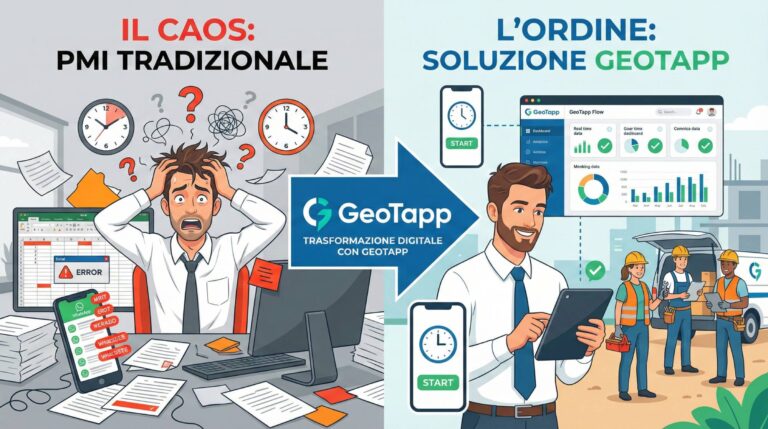
Who is GeoTapp’s ideal customer
18 March 2026
GeoTapp in 10 minutes: the owner’s console that puts you back in the center
18 March 2026
Cleaning company: how much would your life change if every intervention were finally under control?
18 March 2026